
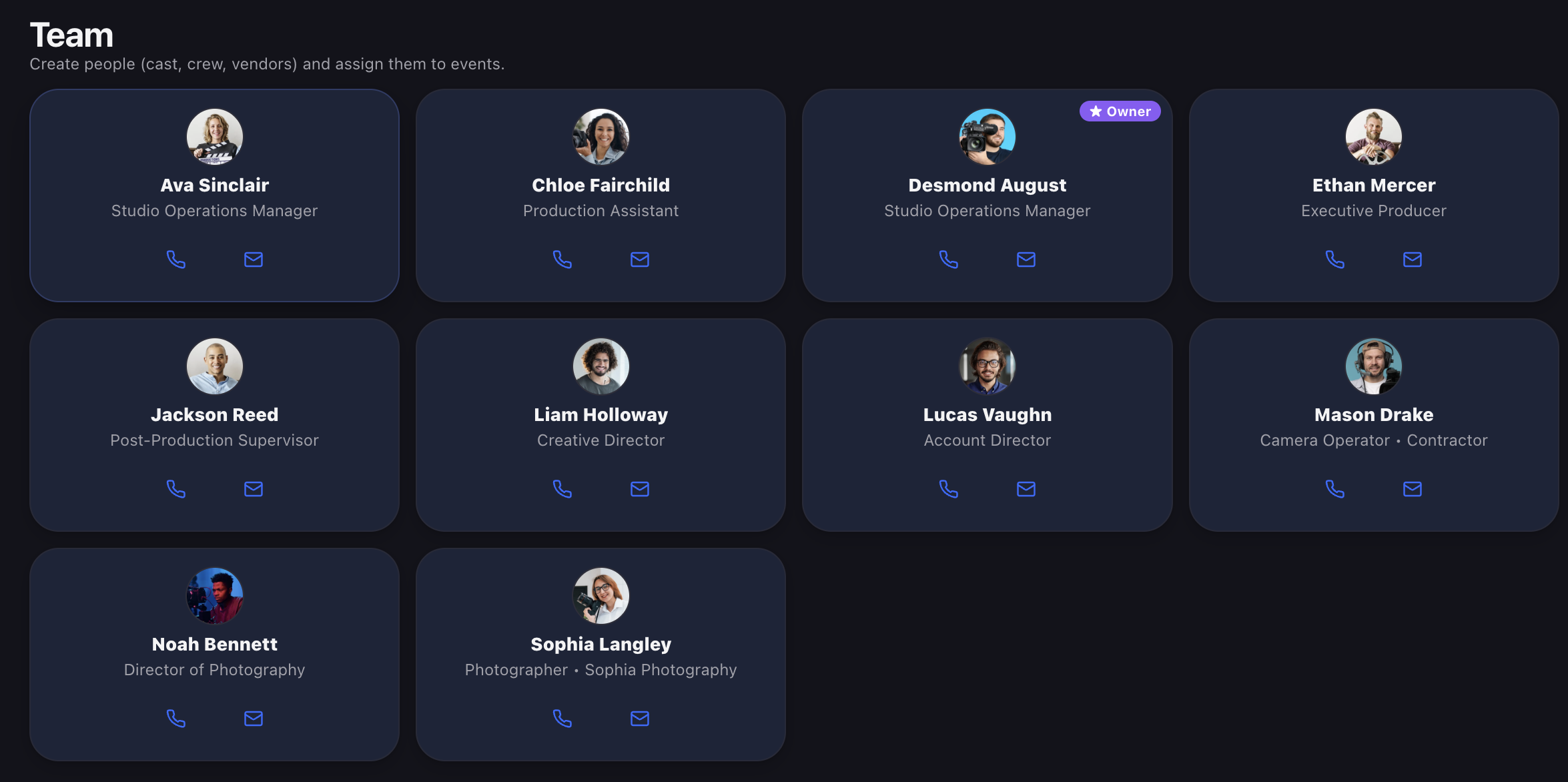
Two different jobs: knowing who’s on the shoot, and giving them a way in.
“Adding someone to a shoot” means two different things, and mixing them up is where most production tools get confusing.
Sometimes you just need the crew list — the gaffer’s phone number on the call sheet, the fact that Marcus is on cameras Thursday. That person doesn’t need a login. They need to exist.
Other times you need someone in the system — reserving gear, checking things out, ticking off tasks, arguing about the schedule.
Javi splits those cleanly, and knowing which one you need saves you a seat.
STEP 1 — BUILD THE CREW LIST
A team card is a person on your roster: name, photo, contact details, role. It’s the thing you assign to a shoot.
Cards don’t require an account. The freelance sound op you use twice a year, the fixer in another city, the client contact who needs to be on the call sheet — they get a card, they get assigned to events, and their number is on your phone when you’re standing in a parking lot at 6am. No invite, no seat, no login.
That’s the important bit: most of your crew never needs an account. They need to be findable.

On the Free plan you get your own card only. Building out a full crew roster is a paid feature. See plans →
STEP 2 — INVITE THE ONES WHO NEED IN
When someone needs to actually use Javi — reserve gear, run checkouts, manage the schedule — invite them as a user. They take a workspace seat, and their team card is created automatically when they join. One person, one identity, no duplicate entry.
Two ways to send it: by email, or generate a link and share it however you like (handy for the person whose email you don’t have handy, or a crew group chat).
You pick their role as you invite them, and it’s worth picking deliberately:
Owner — full control, including deleting the workspace. That’s you.
Admin — invites users, manages roles, deletes any content, handles billing. Your producer or studio manager.
Member — creates and edits events and gear, but can’t delete other people’s items or change workspace settings. This is the right default for most of your team.
Viewer — read-only. Sees everything, changes nothing. Good for a client, an exec, or the person who just needs to know what’s happening.
Contractor — the important one. A contractor sees only the events they’re assigned to, or where their own gear is being used. Not your inventory. Not your other clients. Not next month’s shoots. They get exactly the job they’re on, and nothing else.

WHY CONTRACTOR IS THE ONE TO UNDERSTAND
Most tools make you choose between giving a freelancer full access or emailing them a PDF. Neither is right.
Full access means the day-player you hired for Thursday can see your whole gear list, every client, and what everything’s worth. The PDF means they’re working from information that went stale the moment you sent it.
A contractor login is scoped to the shoot. They see their event, the crew on it, the gear on it, the schedule, the chat. When the shoot’s done, that’s where their access ends — there’s no offboarding scramble, because there was never anything else to see.
And if they’re bringing their own gear (and have their own Javi account), it can be used on your shoot through the same account, tracked like everything else.
STEP 3 — PUT THEM ON THE SHOOT
Assign people from your roster to the event. That’s the crew list — who’s on it, how to reach them, all in one place instead of three group texts and a spreadsheet.

From there, two things make the assignment real:
Tasks. Assign to-dos to specific people with due dates — prep the A-cam, pick up the permit, confirm the location, wrap the drive. Everyone can see what’s left and who owns it, which is the difference between a plan and a hope. If your team already lives in Asana or Basecamp, connect it and tasks stay in sync automatically — no double entry.
Setups. On a Pro plan, assign people to the specific setups they’re on. The drone op doesn’t need to be at the 7am call, and now they know that without asking.

WHO DID WHAT, WITHOUT ASKING
Once your crew is in the system, the gear record fills itself in.
Every phase of a checkout is stamped with a name: who reserved the item, who checked it out, who brought it back, and when. Not for surveillance — for the moment on Friday when a lens comes back with a mark on it and nobody can remember whether it went out that way. The trail is just there, and the conversation takes thirty seconds instead of an hour.
Same with flags. When someone photographs a scuff or a malfunction, it’s attached to the item with their name and the date on it.
And changes show up live, attributed as they happen — “Desmond updated an event” — so the team isn’t working from a version of the plan that changed twenty minutes ago.
KEEP THE CONVERSATION ON THE SHOOT
Every event has its own chat. Comment, reply in threads, and @-mention someone to pull them in — they get an email and a push notification.
The reason this matters isn’t that it’s a chat. It’s where it is. The question “are we still starting at 7?” asked in a group text is gone forever. Asked on the event, it’s next to the schedule it’s about, and the person who joins the shoot next week can read it.
Group texts scatter. The shoot is where the answer belongs.

Event chat is a Pro feature. See plans →
SEAT OR CARD? THE QUICK TEST
Give them a card if you need to know they exist and how to reach them. The freelance sound op. The client. The fixer. No seat used.
Give them a seat if they need to do something in Javi — check out gear, run a schedule, own tasks.
Give them a contractor seat if they need to do things, but only on one shoot.
Give them viewer if they only need to watch.
Most crews are mostly cards, a handful of seats, and a couple of contractors per job. Start there.
COMMON QUESTIONS
No — and most shouldn’t have one. A team card gives you their name, photo, and contact details without using a seat. Only invite the people who actually need to do things in Javi.
A card is a person on your roster. A seat is a person who can log in. Inviting someone as a user creates their card automatically, so you never enter anyone twice.
No. Contractors only see the events they’re assigned to, or where their own gear is being used. Your wider gear list, your other clients, and your other shoots stay invisible to them.
It ends with the shoot. There’s nothing to revoke, because there was never anything else in view.
Yes — a contractor’s gear can be used on your event and tracked like anything else.
Yes, both. Connect either and tasks stay in sync automatically — update it in one place and it’s current in the other.
Yes. Every phase is stamped with a name and a time: who reserved it, who took it, who brought it back.